
Design and bills of materials
Design follows the engineering work for a product, from input details to approved drawings, and records engineering changes (ECN). Bills of materials (BOMs) list what a product is made of. They're kept under Production and drive material purchase requests and job cards.
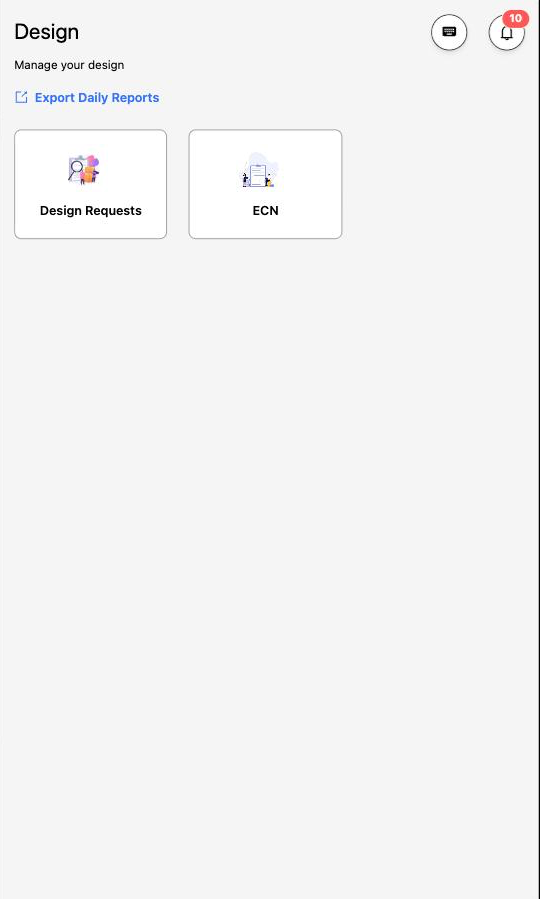
- 1Design Requests
- 2ECN
Design requests#
You don't create a design request on its own. It starts when a work order product is started with a department of type Design. Each work order product gets one design request at its Location, and the Design Requests list shows only the requests of your current Company and Location. The Department Incharge chosen when starting the product becomes the Design In-Charge and is notified, and the Remark and Files entered there become the request's first Input Details entry. From Start Work Order or Update Work Order, no request is created when the Design module is switched off (Bulk Update on the work order's products still creates one).
| Step | What happens |
|---|---|
| Input Details → Concept Drawing → Detailed Design → Drawing Verification → Drawing Issues → Drawing Submission | The Design In-Charge marks each step done. A finished step can't be reopened |
| Customer Approval / Electrical Automation | Extra steps can be added when a step is marked done |
| Drawing verification | A verification round with chosen approvers |
Statuses: Pending, In Progress, Completed, Cancelled.
ECN (engineering change notes): Design → ECN → Create ECN. Statuses: Pending, Completed, Cancelled. ECNs are kept per Company and Location, and ECN numbers follow your current Company's ECN numbering.
Design → Export Daily Reports downloads the day's design request activity in your current Company and Location as an Excel file.
Bills of materials#
| Topic | What to know |
|---|---|
| Where | Production → Bill Of Materials, or the BOM tab of a work order |
| BOM type | Comes from the item's BOM Strategy in the item master: Standard, Template, Custom or None |
| When a BOM is locked | The BOM a work order product uses is frozen once production starts for it (job cards, the first material issue or the finished-goods receipt); it can't then be edited or cancelled. A Standard product gets its own frozen copy, so the shared BOM stays editable |
| Revised items | When a revised item master is approved, a BOM that uses it shows a revision warning on its view, except a Custom BOM (work orders show none); a BOM whose own product was revised offers Revise BOM |
Before you start#
✅ Before you start
0/3 readyGuides by task#
| Task | Guide |
|---|---|
| Work a design request, approvals and issues | Design requests |
| Change one part's drawing | Engineering change notes |
| Build BOMs and multi-level BOMs | Bills of materials |
| Import a parts list from CAD | BOM import from CAD |
| Split a drawing PDF per part | Drawing PDF page split |
| Revise BOMs, frozen BOMs | BOM revisions and frozen BOMs |
Rules to know#
- To work on design requests, a role needs Design → Design Requests: Read to view, Update to work on them and Cancel to cancel. A drawing approver needs only Read to open the request and approve it.
- To work on ECNs, a role needs Design → ECN: Create to raise, Read to view, Update to edit and complete, Cancel to cancel.